
Order Checker
A pre-ship guard for your orders
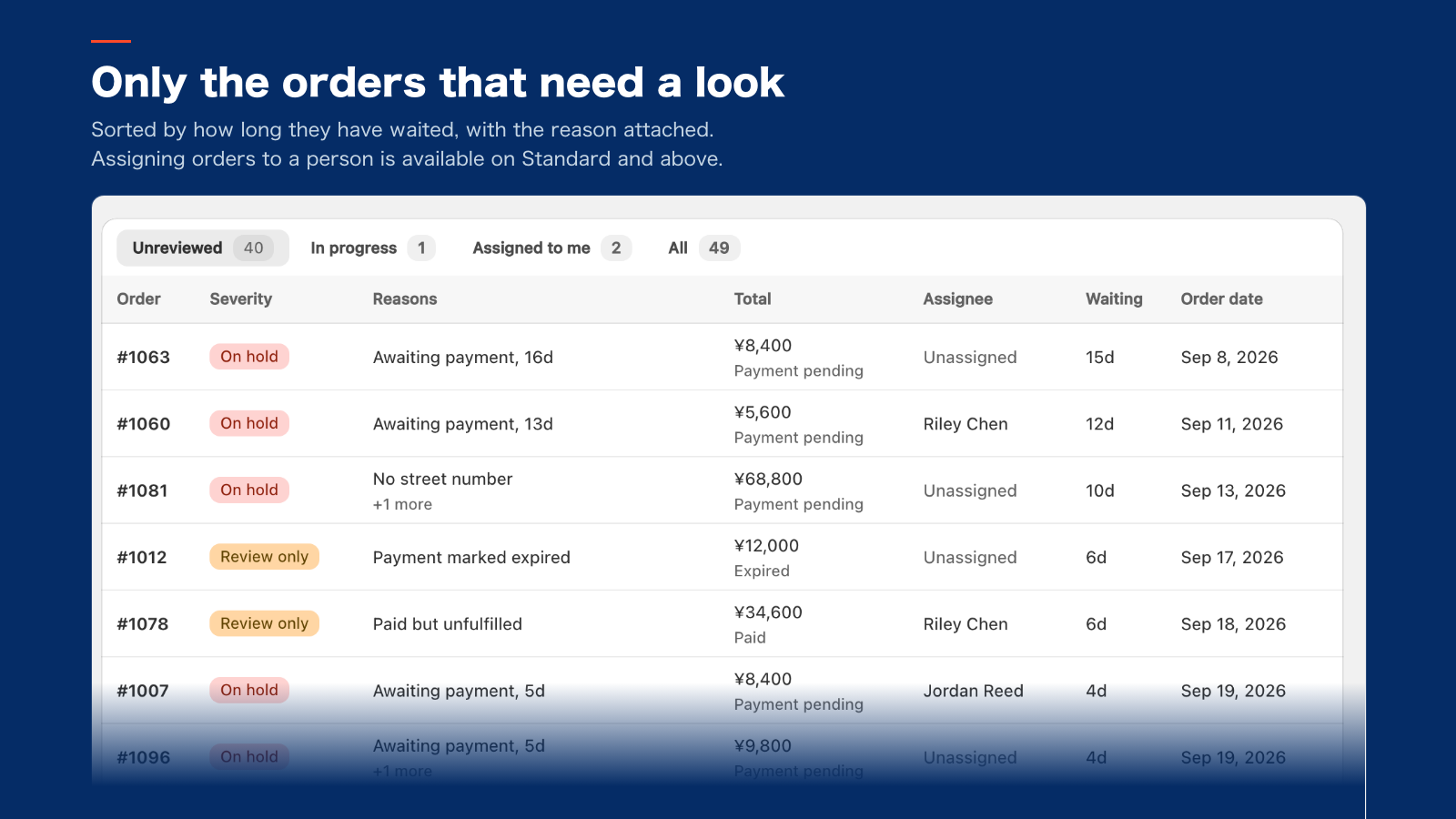
Checks every order against your store's rules and lists only the ones that need a look, with the reason. Orders with a problem are put on fulfillment hold.
- Checks
- 26 checks
- Price
- From $19/mo
- Development stores
- All features free
What it checks
Check names are shown as they appear in the app's settings. Each store chooses which checks to use.
Payment
- Awaiting payment for too long
- Only partially paid
- Payment marked as expired
- Payment was voided
- Card authorization expiring soon
Address
- Address appears to have no street number
- Address fields look swapped
- Phone number missing or invalid
- Shipping and billing names differ
- Destination cannot receive refrigerated shipments
- Remote island destination may incur a relay fee
Delivery date
- Requested delivery date cannot be read
- Requested delivery date is "not specified"
- Requested delivery date is in the past
- Requested delivery date is outside the accepted range
- The scheduling app marked the date as invalid
Contents
- Mixed temperature zones in one order
- No age verification for alcohol
- Noshi requested on a product that cannot take one
- Noshi name is too long
- Noshi name lists several people
- Inner/outer noshi not specified
Other
- Paid but not yet fulfilled
- Note contains a flagged keyword
- Flagged as high fraud risk
- High-value order
Rules find it. People decide.
Check each order
When an order comes in, the app checks it against the rules your store chose.
- Branch A: No issues
No issues: that's it
Fulfillment is left as is (the check result is recorded).
- Branch B: Needs review
Needs review: listed with the reason
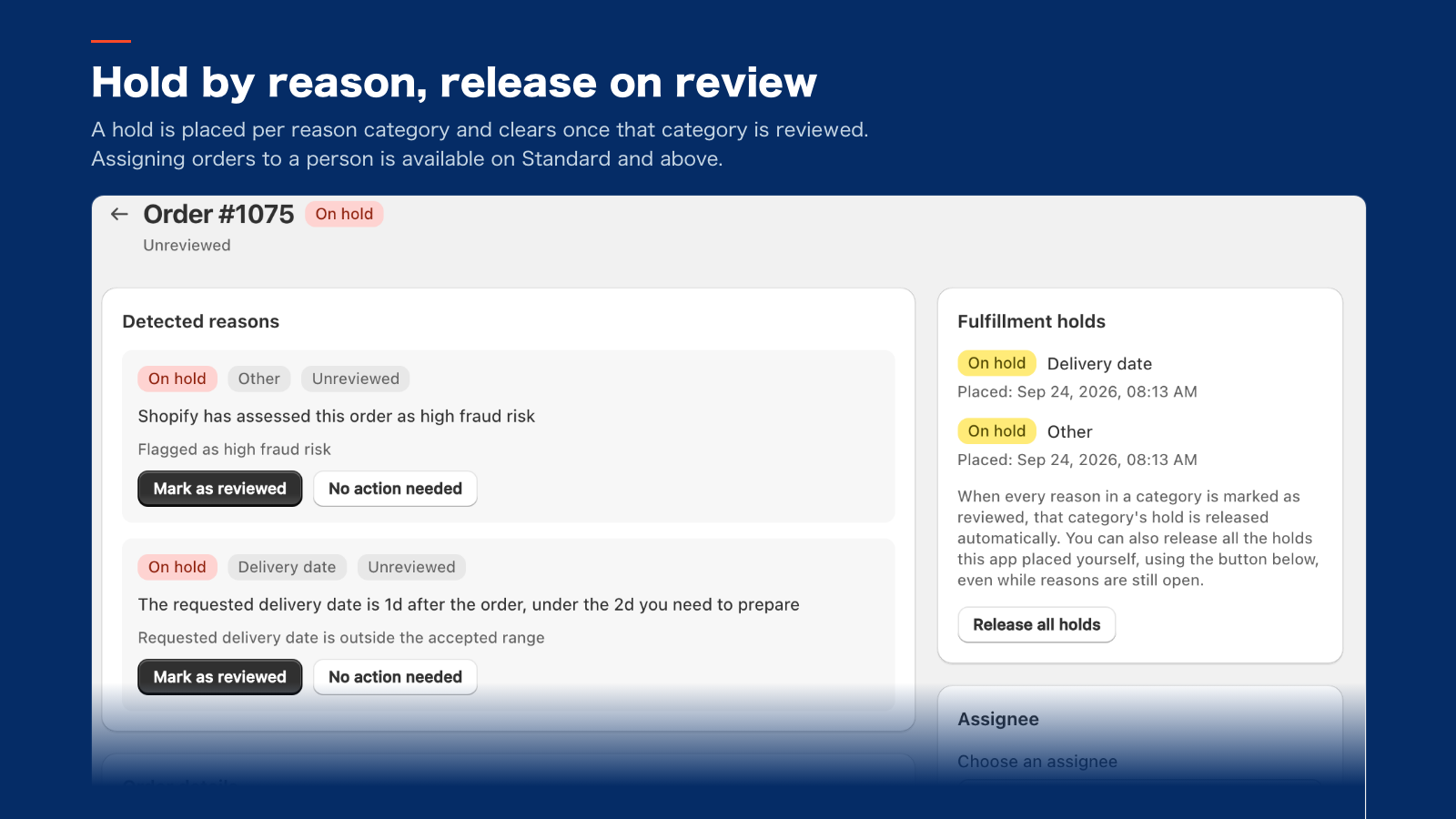
For "Hold fulfillment" rules, the app places a Shopify fulfillment hold. For "Review only" rules, it only lists the order.
- Branch B, next: If it needs review
Your staff review it
Once every reason in a category is marked reviewed or "No action needed", that category's hold is released automatically. Your staff decide whether to ship.
What it does
- Lists only the orders needing review, longest-waiting first, with the reason
- Places a fulfillment hold; it clears when that whole category is reviewed
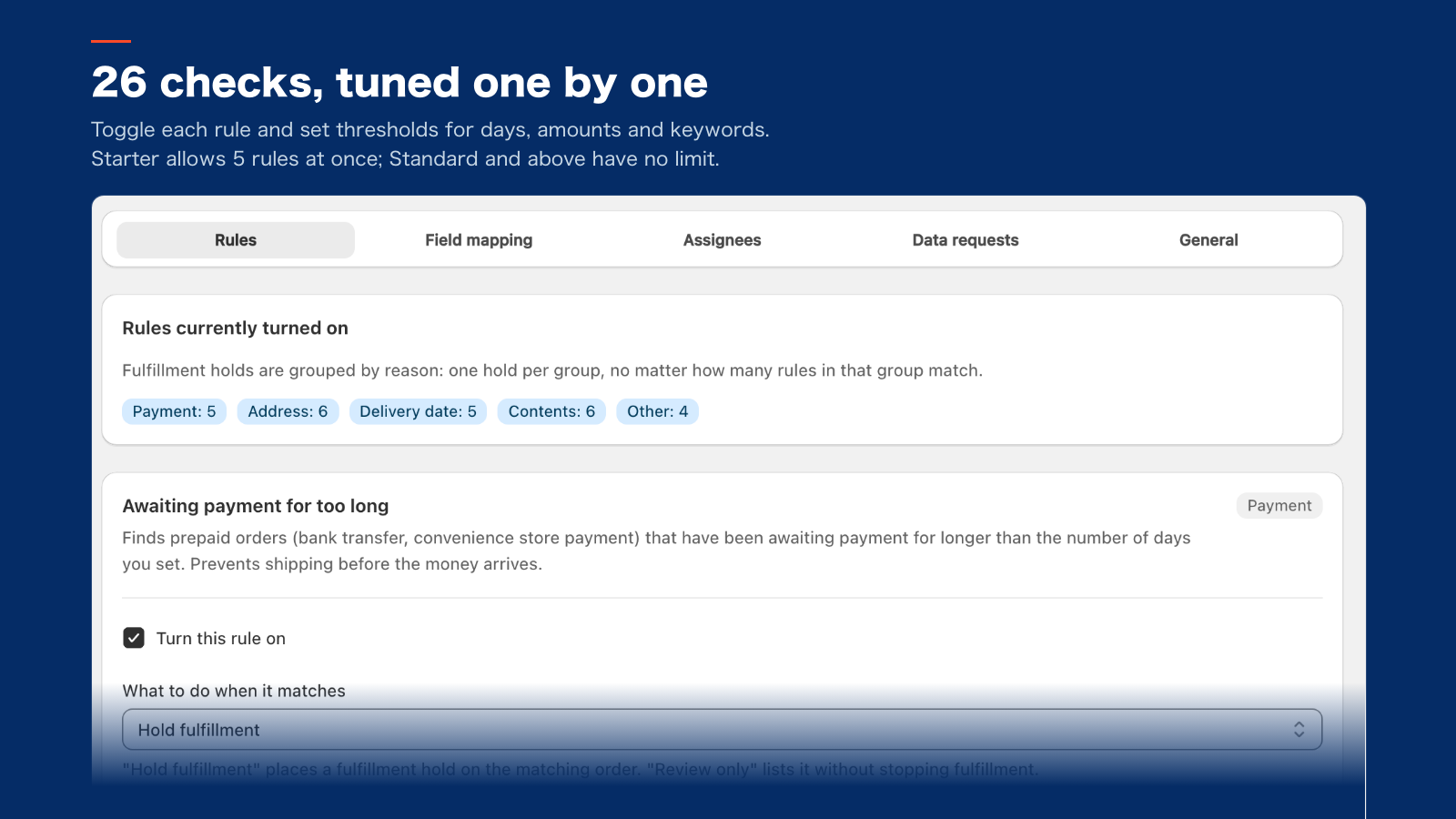
- Turn each of the 26 checks on or off and set your own thresholds (Starter: 5)
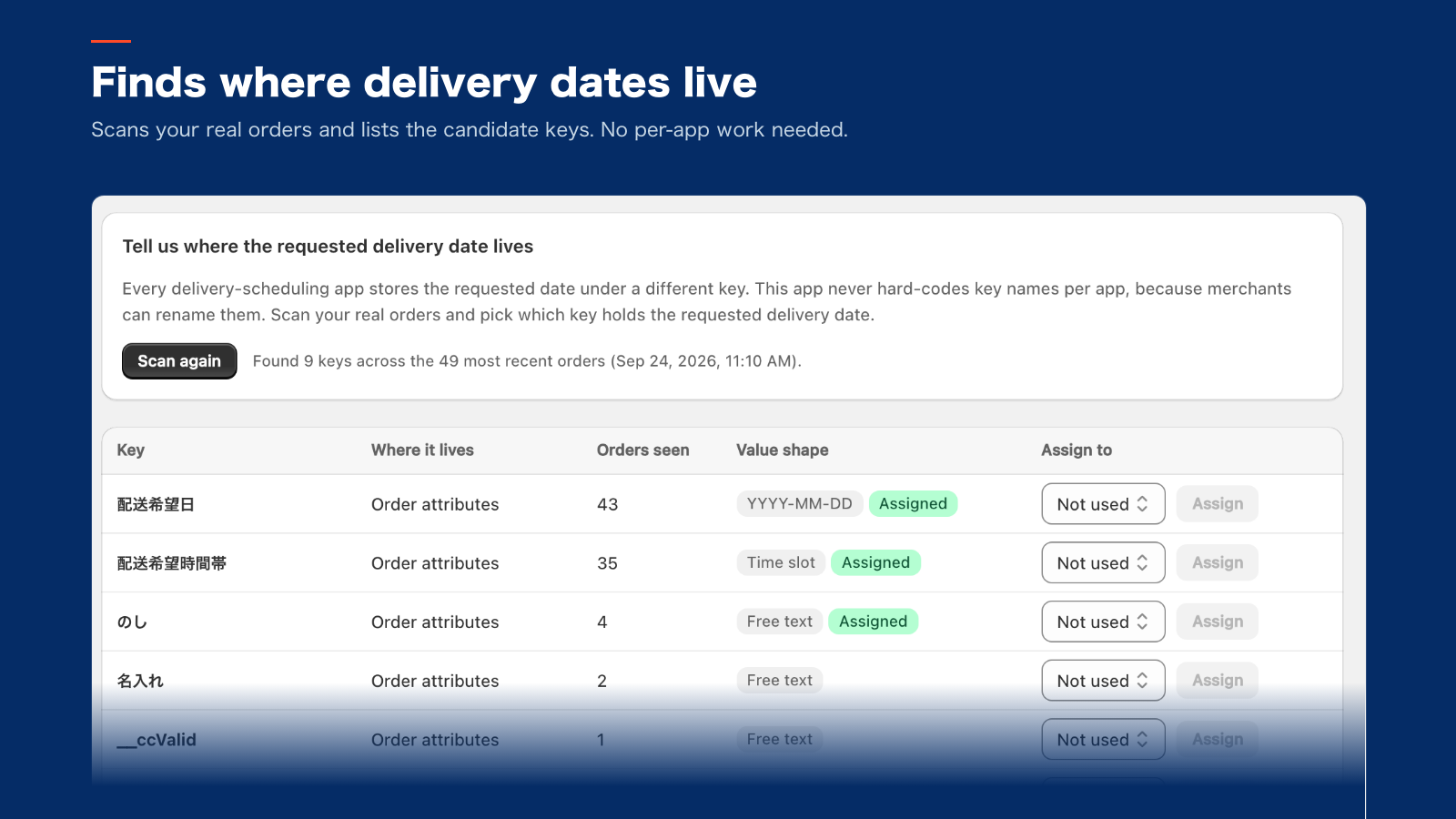
- Finds where your scheduling app stores delivery dates, with no per-app work
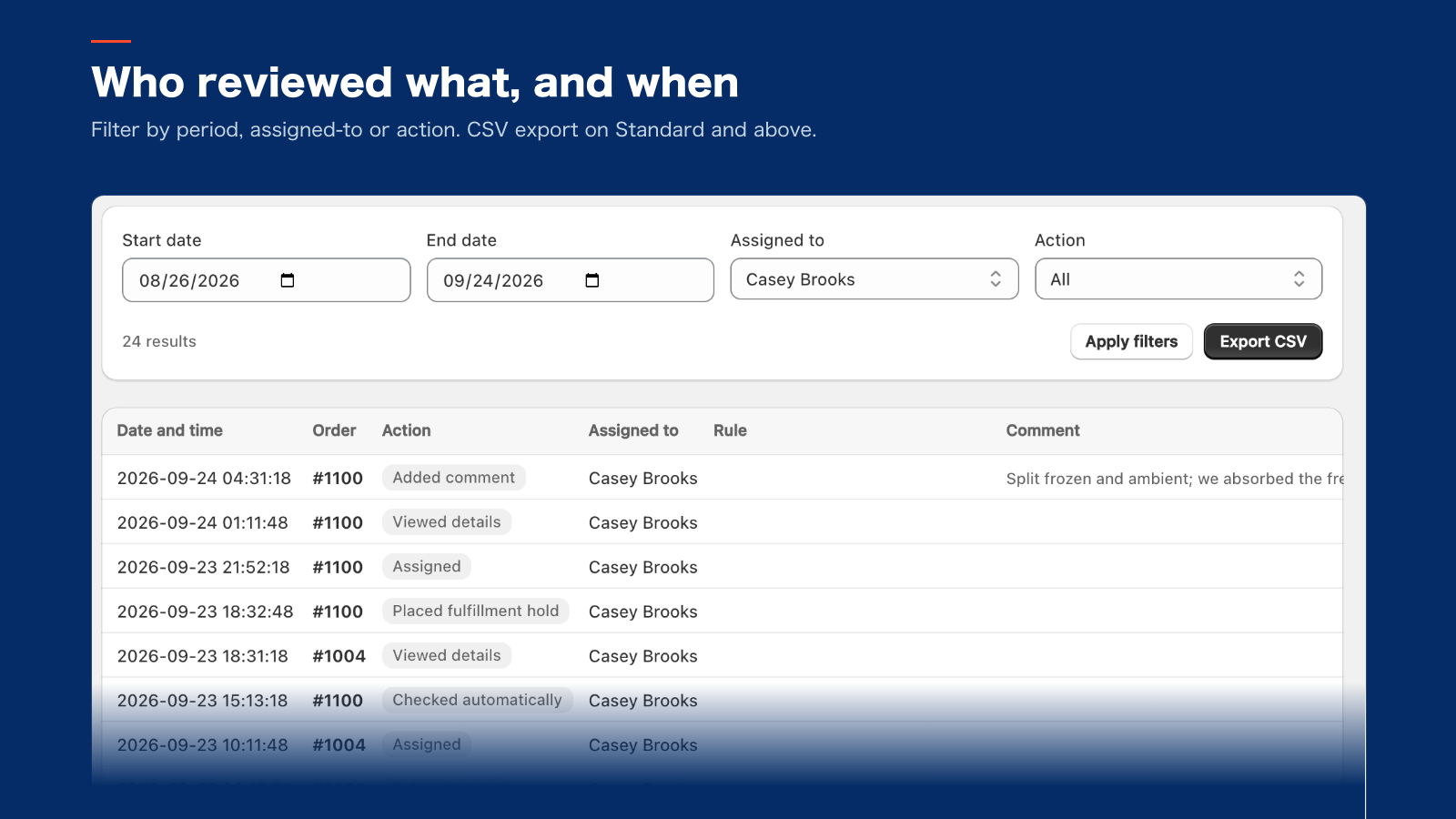
- Records who reviewed what and when. We never store customer contact details
Screenshots
App screen (test data, with a headline added for this page)
Pricing
Starter
$19/mo
Yearly $190/yr
- Orders checked per month
- 300 max
- Rules you can enable
- 5 (from 26 checks)
- Assigning orders
- —
- CSV export of review history
- —
Standard
$39/mo
Yearly $390/yr
- Orders checked per month
- 1,000 max
- Rules you can enable
- Unlimited
- Assigning orders
- Included
- CSV export of review history
- Included
Pro
$79/mo
Yearly $790/yr
- Orders checked per month
- 3,000 max
- Rules you can enable
- Unlimited
- Assigning orders
- Included
- CSV export of review history
- Included
How data is handled
Customers' names, addresses and phone numbers are not stored in our database (unless your staff write them into a review comment). They are fetched from Shopify and processed when orders are checked and when you open a screen. See the app's privacy policy for what is stored and for how long.
Read the privacy policy